
Snap it. Report it. Solve it.
Just walk and snap the photo. SiteSnap turns it into the register, the client PDF, and the job for the fixer — with AI that reads the photo like a construction specialist imbued with OSHA-centric knowledge and mindset, drafts the report, and briefs the manager every morning.
- Works offline
- Report ready when the walk ends
- GPS-tagged findings
- Floor-plan based inspection
- Scheduled & routine inspections
- Full defect life-cycle
- Hot-zone insights
- Multi-site visibility
See it in action
From hazard to close-out, in 5 minutes
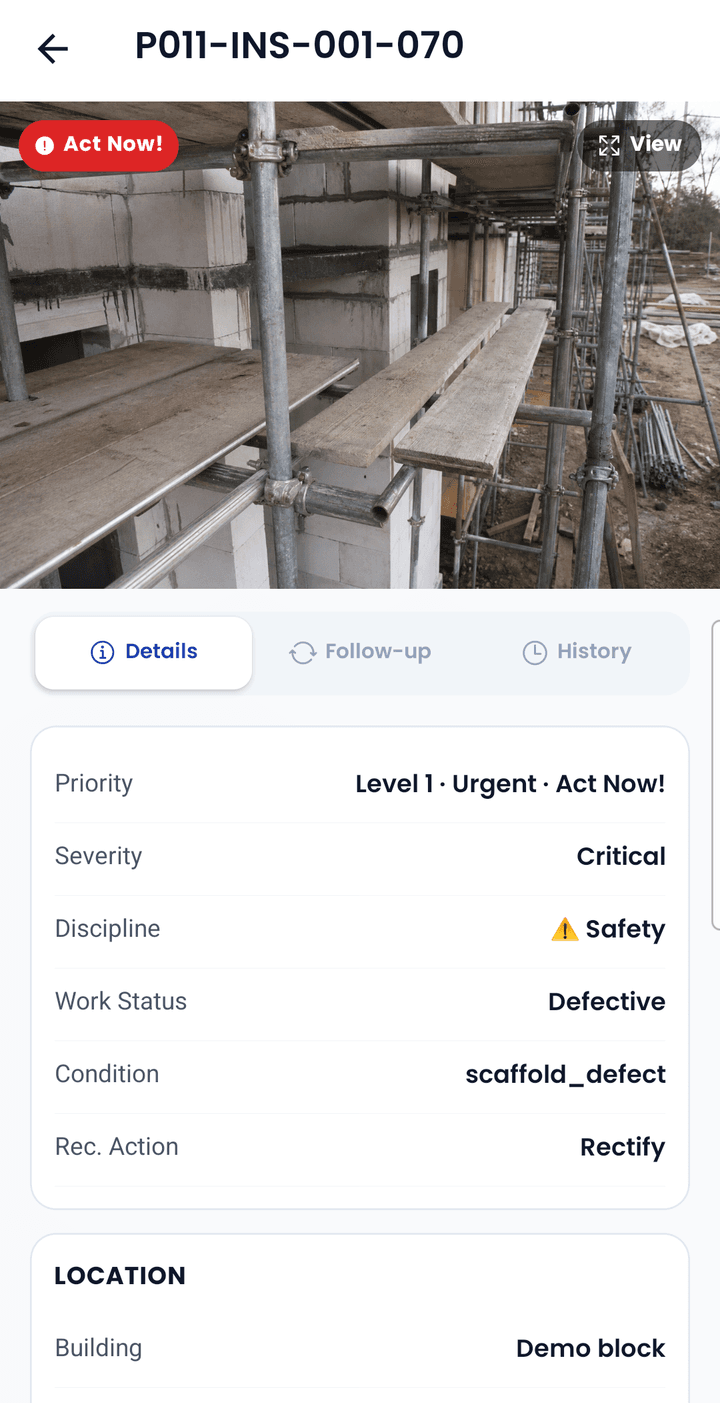
Watch an inspector snap a scaffold hazard, see it land in the register and the PDF, then follow it to the fixer and the manager's morning briefing.
Same photo. Different outcome.
The walk is easy. The paperwork isn't.
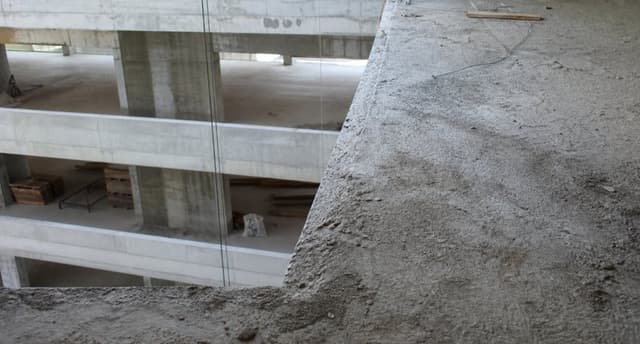
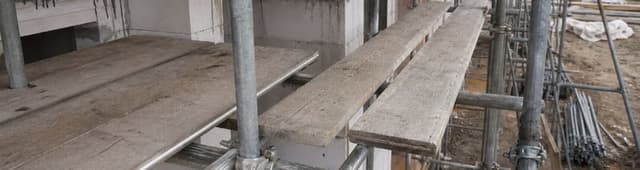
IMG_4821.jpg, IMG_4822.jpg
Missing edge protection
Demo block · L5 · Slab edge
Owner
Main-con safety
Due
Fri 5 Sep
Status
Proof uploaded

Every photo
has a site, drawing, and unit
PDF at walk end
not at 7pm in Word
One owner
per finding, with proof
Zero signal
still captures, syncs later
How it works
From the first snap to a solved problem
Five steps. The phone does the walk, the web does the planning and close-out, and AI fills in the paperwork in between.
Step 1 of 5 · Snap
One photo is the whole record.
Point, shoot, tag. The finding is pinned to the drawing, stamped with time and location, and safe on the phone even with no signal.
- Works in basements and lift shafts
- Multi-shot per defect
- Photo-first: fill details later
With SiteSnap Pro
Pro reads the photo like a construction specialist: fills discipline, severity, priority, and action, then writes why. You edit, then save.
Optional AI assistance
Intelligence where it saves you hours — never where it takes control
The inspector still decides what is a defect. Pro reads the photo like a construction specialist and drafts the walk close-out: severity, priority, and action come with a plain-language reason. When judging priority — especially anything that puts people or the site at risk — it takes an OSHA-centric view: human safety and site security are not compromised. Every suggestion is labelled, editable, and logged.
SiteSnap AI · Today
3 new critical findings on Tower B L12, all safety. 7 items past 14 days open; 4 are unassigned. Wet-trade partner closed 9 jobs with proof photos.
From this walk
Details filled from photo
Scaffold defect · Scaffolding
CriticalLevel 1 · Act nowReport PDF drafted
12 findings · summary and action plan written
From your findings and jobs. Every suggestion is editable.
Photo understands itself
Snap a defect and Pro fills discipline, severity, priority, and action — then writes why a construction specialist would pick those tags. You edit anything, then save.
Report drafted, not typed
After the walk, Pro writes the summary and a short action plan a supervisor would actually use: urgent work first, then the rest. The team edits, brands, and sends.
Daily briefing for managers
Open the dashboard to a plain-English brief: what changed, what is urgent, what is unassigned.
Ask the site anything
From the manager dashboard: “Which trade has the most open items on Block B?” Answers come from your organisation’s own counts.
Pro is a per-organisation add-on. Turn it on when you are ready; the core walk, report, and close-out work without it.
Who it is for
Made for the people who walk & manage the site
Three people, one register. Every finding moves from the inspector who found it, to the manager who owns it, to the trade partner who fixes it — and back with proof.
Manager · Runs the job
Read the site from the office and hand out the work.
The dashboard turns a morning walk into a report, a task list, and a picture of where the site is hurting.
PDF when the walk ends
Branded, numbered, photo-rich. Ready to send to the client the same day.
Assign & track to close-out
Owner, due date, and age on every open item. Nothing lost in WhatsApp.
Hot zones & analytics
See where defects cluster and which crew is overloaded — by trade, severity, inspector.
One register per site
Handover, punch lists, recurring rounds — split by floor, package, or trade.
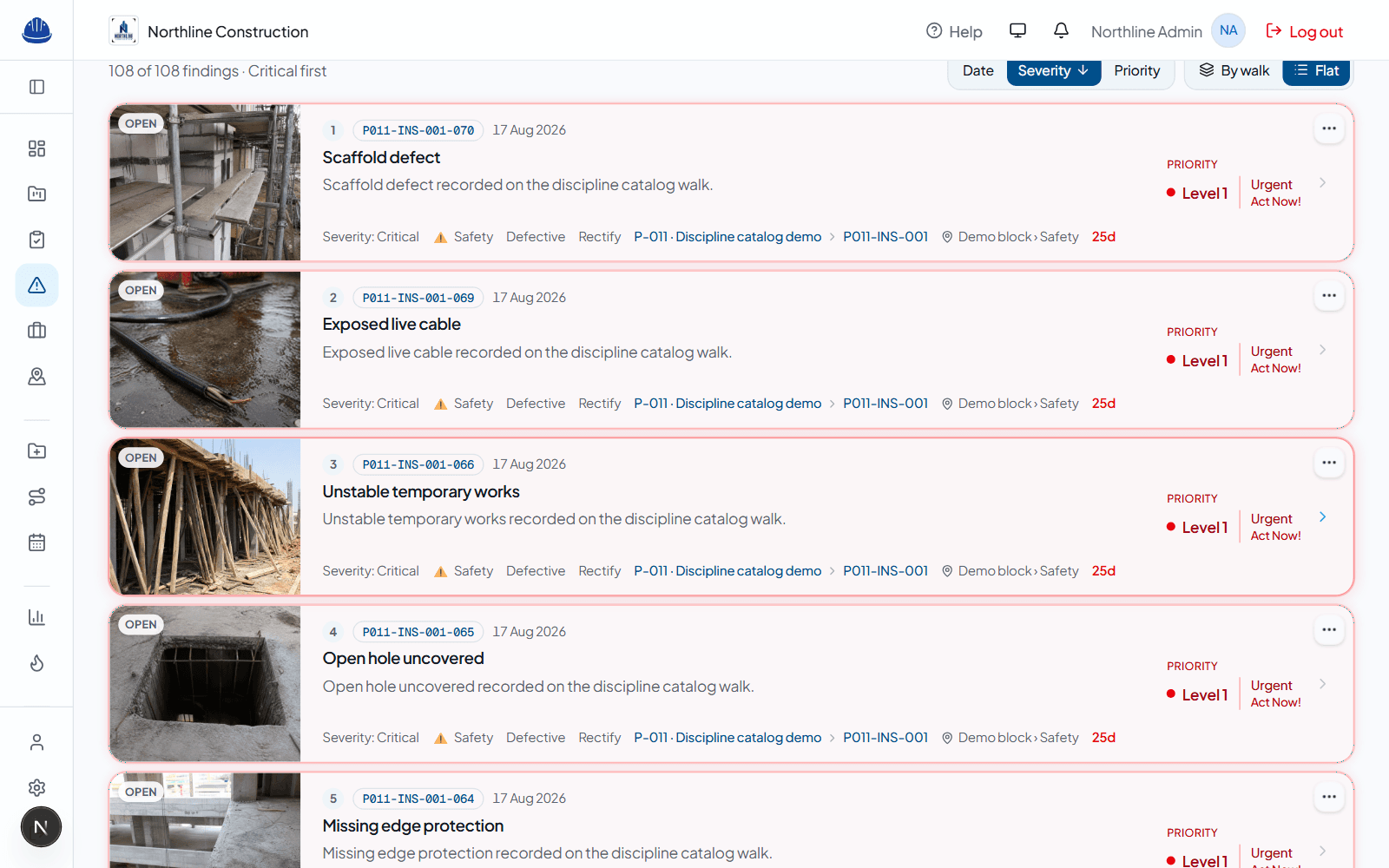
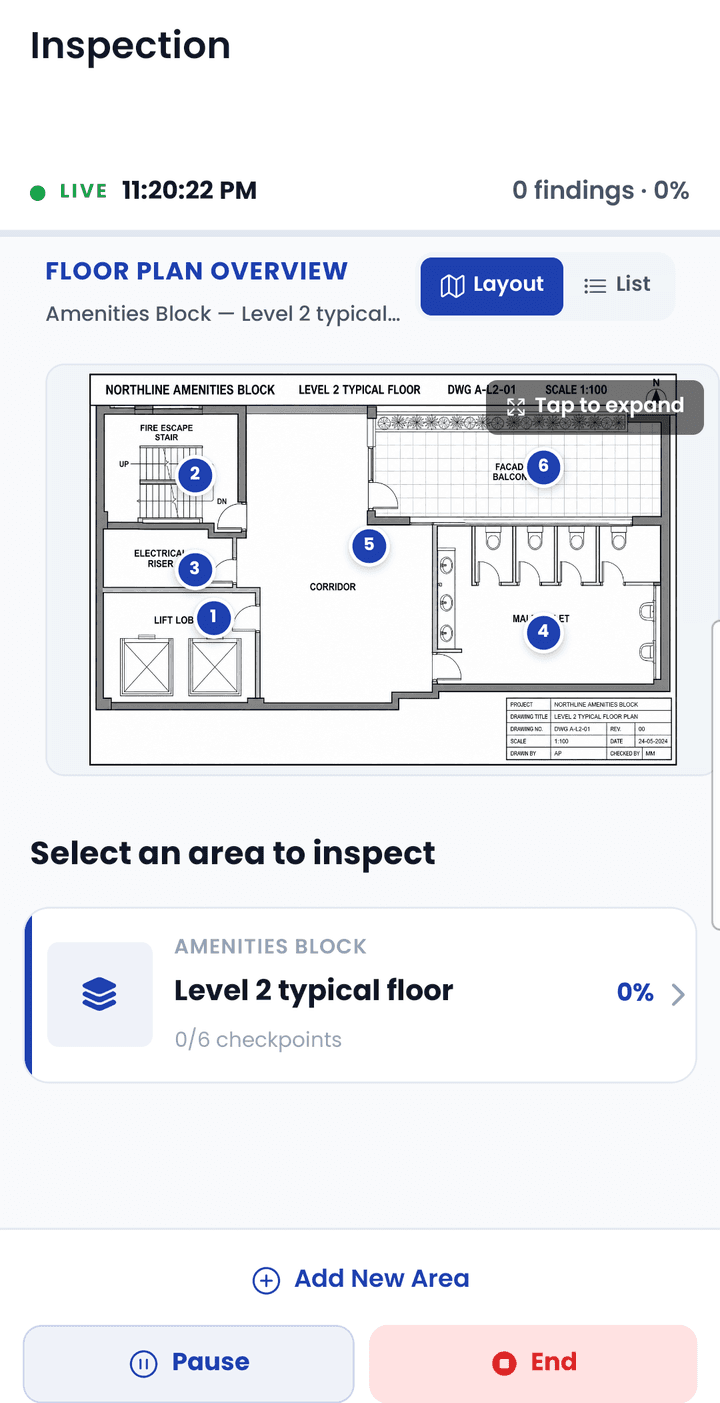
Walk the site on the phone. Manage the job on the web.
On site, the app is a camera with a memory: snap, tag severity and location, move on. It never asks you to stop and type a paragraph.
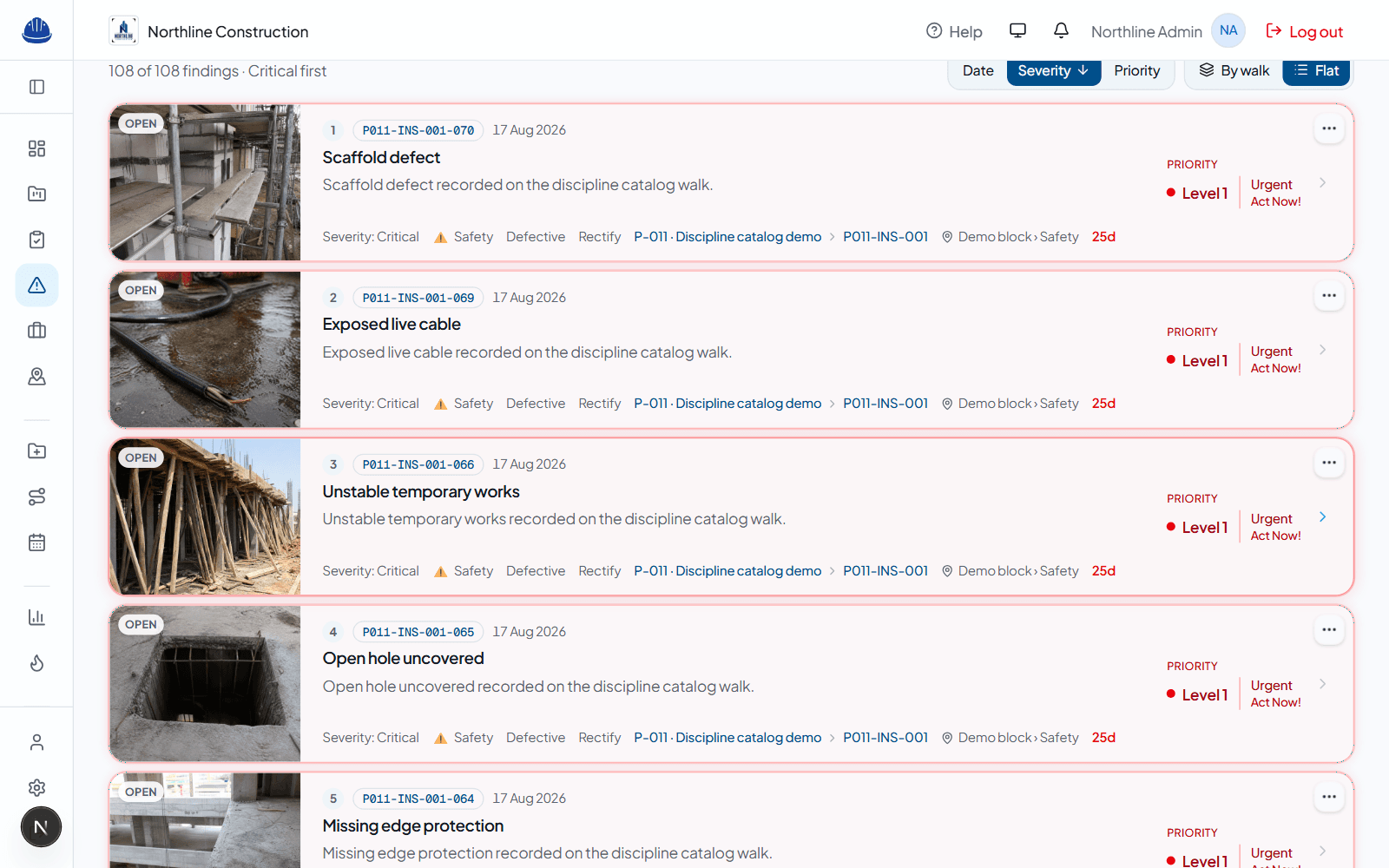
Back in the office, the dashboard shows every open item with a date, an owner, and an age — sorted by what matters today. End the walk and the same findings become the client PDF.
- Guided routes on the drawing
- Sort by date, severity, priority
- Before / after progress photos
- Milestones and completion %
Admins get everything a manager has, plus seats, the logo on PDFs, and who may create routes or archive sites — without a custom build.
Start with one site and one crew
Set up people, walk once, send the PDF the same day. Then assign the first finding and watch it close.